

What is the Read Aloud tool?
The Read Aloud tool helps students and teachers access digital content more easily by converting on-screen text into natural spoken audio on supported websites.
It supports accessibility, comprehension, and independent learning by reducing reading barriers and improving understanding across subjects and grade levels.
Read Aloud is designed to help all learners, including those who benefit from auditory reinforcement, language support, or alternative ways of accessing content. It supports multiple languages, offers a wide range of voice options, including Natural Voices, and allows users to personalize their listening experience.
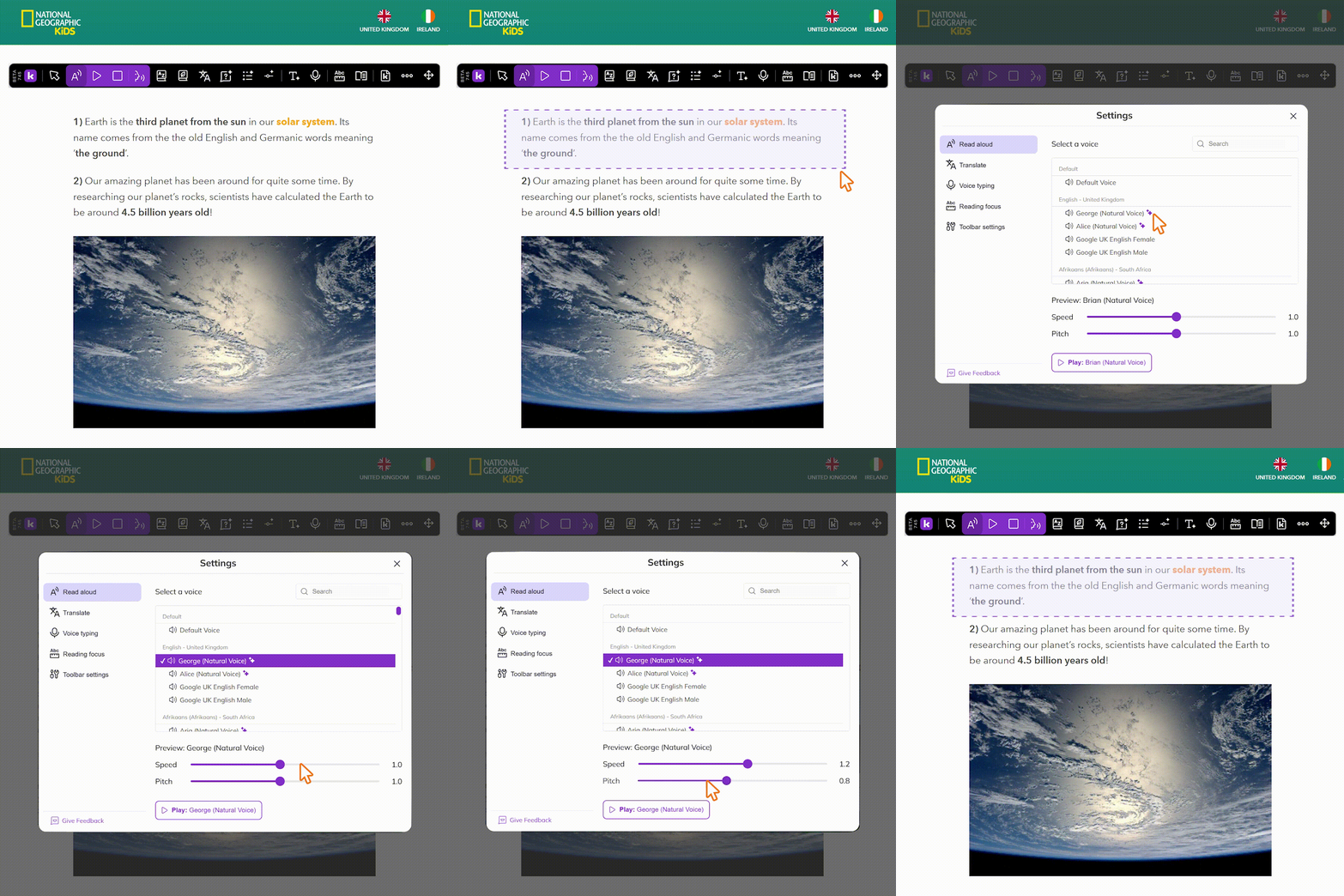
On some websites, each word will be highlighted as it is read aloud, allowing students to follow the text as it is read. Please note that this feature is not currently supported on Google Docs.
How to use the Read Aloud tool
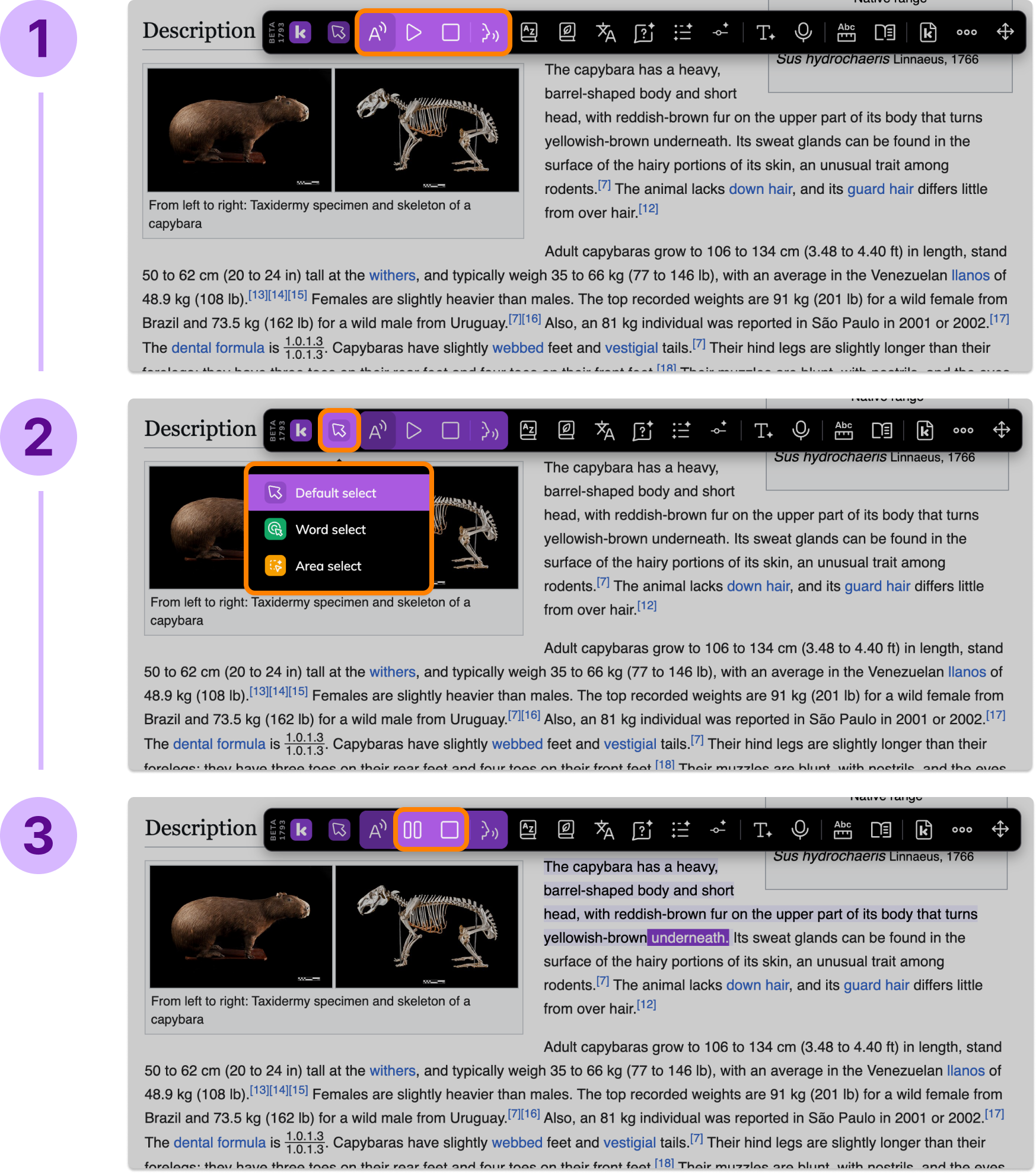
Clicking this button will open the Read Aloud menu. You can press the Play button to start reading from the start of the page.
You can also Read Aloud specific parts of the page by highlighting text with one of the Selection modes.
By default, Read Aloud will read the whole webpage. Otherwise, you can use one of the Selection modes to select specific phrases, words, or areas to be read aloud.
Use the Read Aloud controls to pause, resume, or stop playback at any time.
Other Read Aloud options
Open the settings menu by selecting the Change Voice button to customize your listening experience. You can choose different voice options and customize other playback settings to meet individual learner needs.

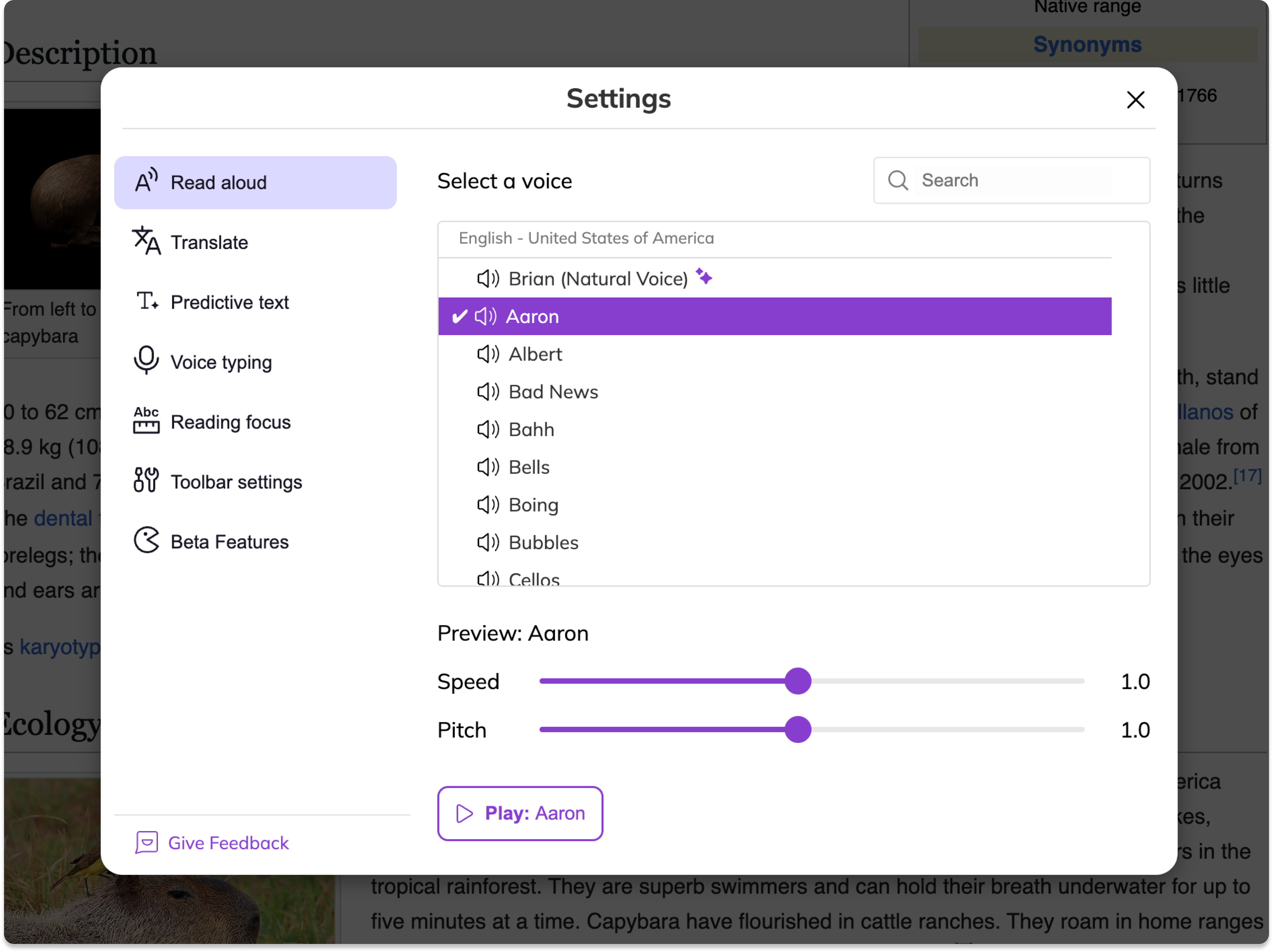
From this modal, you can:
Search for a language and voice or select one from the drop-down list.
Adjust the voice speed and pitch.
Preview the selected voice, speed, and pitch by selecting Play.