

Read Aloud
Hear digital text read aloud to support comprehension, accessibility, and independent learning across any website.
Reading Assist
Use digital screen masking and reading rulers to aid concentration and reduce reading fatigue.
Immersive Reader
Read with focus and flexibility using a clean, distraction free reading experience with built in comprehension supports.
Voice Typing
Speak your ideas anywhere on the web using Voice Typing in Companion.
Predictive Text
Build writing confidence and fluency with real-time word suggestions as you type.
How to use the Accessibility tools
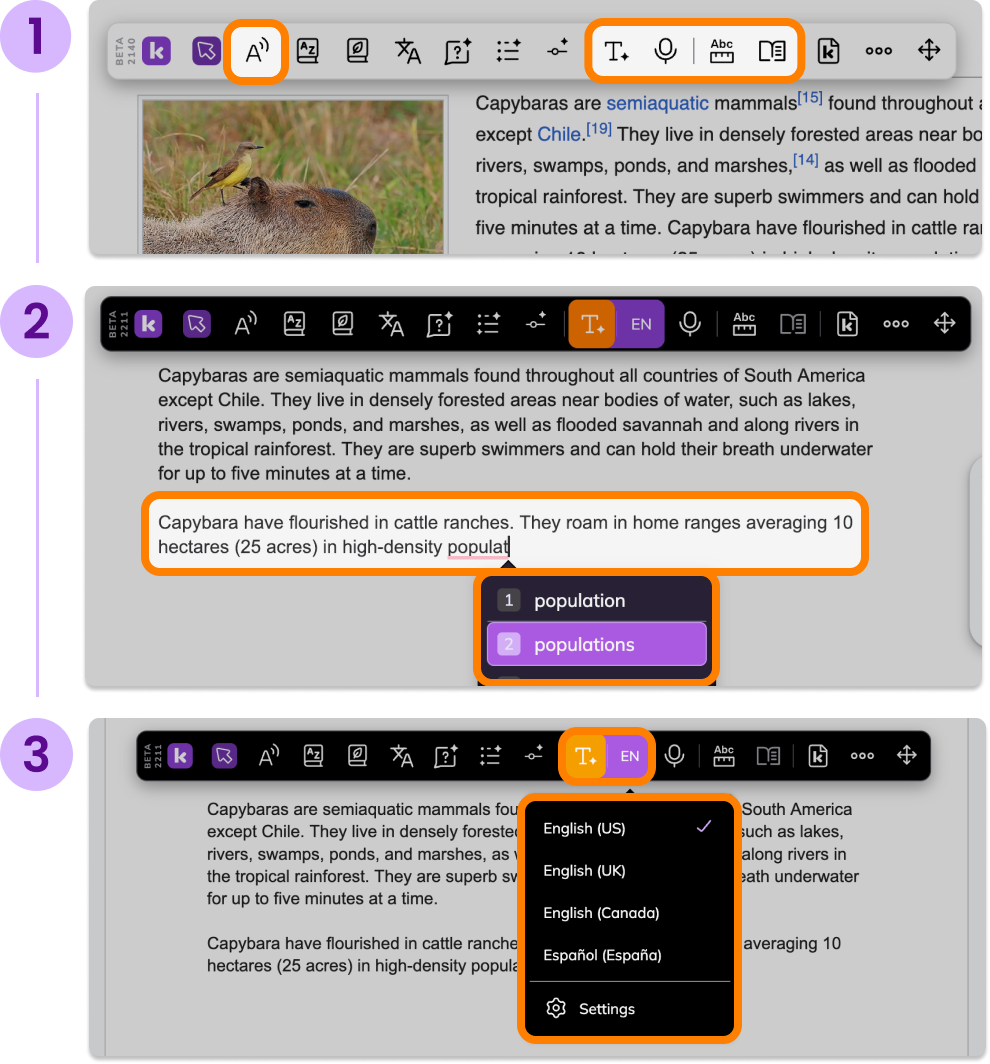
Click one of the Accessibility tool buttons in the Kami Companion toolbar.
Use your mouse cursor to select the desired text or area of your page to be processed.
Use the Accessibility tool modal to change the content language, have it read aloud, or easily switch to one of the other Accessibility tools.